AI-Generated Product Images vs. Real Product Photography: Pros, Cons, and Use Cases

A product can need two very different kinds of images: pictures that prove what customers are buying, and pictures that make them imagine owning it. The first job rewards precision. The second rewards creative range.
That distinction makes the choice between AI-generated product images and real product photography much clearer. Photograph the details customers need to trust. Use AI to explore settings, campaigns, and compositions that would otherwise require additional production. Combine the two when you need both exact product representation and a flexible creative environment.
The important question is not simply which method produces better-looking images. It is which method can produce the right, accurate, publishable image with the least unnecessary work.
1. Start by Separating Product Evidence from Campaign Atmosphere
“AI product photography” describes several workflows that should not be treated as interchangeable.
- Text-only generation creates a product from a written description. This can be useful for concepts, but a convincing image of “a green travel mug” is not necessarily an image of your green travel mug.
- Reference-guided generation supplies actual product photographs alongside the prompt. The model receives visual information about the item and uses it to guide a newly generated image.
- A photographic composite keeps the real product photograph as a separate foreground element while using an AI-generated environment around it. The product itself does not have to be regenerated.
These approaches offer different kinds of control. Reference-guided generation gives the model more information about product identity. A carefully constructed composite can retain the photographed product’s visible details while changing the surrounding scene. Neither approach removes the need to check the finished image.
There is also an important difference between photorealism and product fidelity. Photorealism means an image looks like a photograph. Product fidelity means it depicts the correct item: the right silhouette, lid, stitching, label, finish, color variant, and proportions.
A bottle can look beautifully photographed while having the wrong cap. A sofa can look natural in a living room while being represented at an inaccurate size. Those are product errors, not aesthetic imperfections.
Before choosing a production method, write down what the image must communicate. “Show the exact clasp construction” is a different assignment from “introduce the summer collection in a relaxed outdoor setting.” Both images must represent the product honestly, but they demand different production decisions.
2. Real Product Photography: Strong Evidence, with Production Work Attached
Where photography has the clearest advantage
A camera records the physical sample placed in front of it. Without generative alterations, it does not invent an extra button, redesign a handle, or replace a printed label with plausible-looking lettering.
That makes real photography particularly valuable when customers need to inspect:
- Fine construction details, including seams, clasps, ports, fasteners, and stitching.
- Material characteristics such as fabric weave, wood grain, surface texture, and transparency.
- Packaging, printed information, and the actual contents of a kit.
- Fit, drape, dimensions, or the relationship between a product and a person using it.
- The condition of a specific used, vintage, handmade, or collectible item.
Photography also gives a creative team direct control over the physical setup. You can rotate the item, change the light, inspect the sample, and photograph a feature again rather than asking a model to reconstruct it.
That does not mean photographs are automatically accurate in every respect. Lighting, white balance, lens choice, and retouching still affect representation. Adobe’s product photography guide explains practical lighting considerations and color casts. A real photograph can still make a matte finish look glossy or push a neutral color toward yellow.
The drawbacks are mostly about production and repetition
Physical photography requires access to the product and a workable setup. Depending on the brief, that may involve sample preparation, shipping, styling, props, locations, people, and post-production.
These costs are not inherently excessive. A small tabletop product might need only a modest setup, and a well-planned shoot can deliver many useful images. Comparing an expensive location campaign with a single AI generation would be misleading.
The friction becomes more significant when the product stays the same but the creative setting changes repeatedly. A new seasonal promotion may call for a different surface, atmosphere, lighting style, or composition without requiring any new information about the item itself.
That is where another full production setup can become unnecessary. Real photography is an excellent investment in the product’s visual foundation; it does not have to be the production method for every subsequent campaign image.

3. AI-Generated Product Images: More Creative Range from the Same Product
The biggest advantage is extending existing photography
Reference-guided AI changes the economics of creative variation. Instead of treating each campaign as a new physical production, you can use approved product photographs as the starting point for different environments.
Consider a travel mug photographed from the front and a three-quarter angle. Those references can guide campaign candidates showing the mug on a home-office desk, beside a breakfast setting, or in a cozy winter interior. The product remains the subject; the campaign story changes.
This is useful for more than seasonal decoration. You can explore different audience contexts, leave space for different headline layouts, and test whether a restrained studio scene or a more atmospheric setting better suits the brief. You do not need to physically build every proposed scene just to decide whether it is worth pursuing.
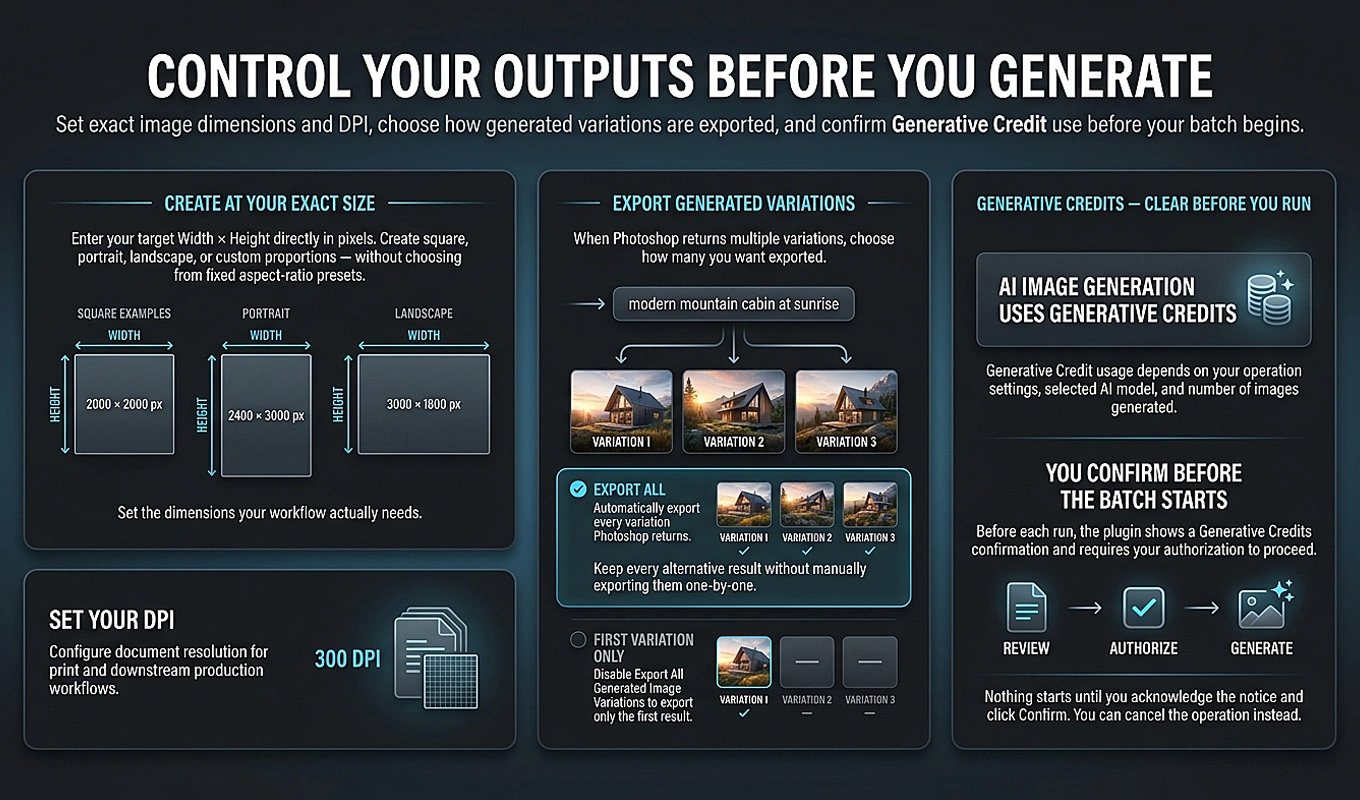
Bulk AI Image Creator: Batch Generative Fill makes that approach practical for larger prompt lists inside Photoshop. With a reference-compatible model, it can supply the same one or two product reference images across a CSV-driven batch, generate each prompt, and automatically export the selected variations.
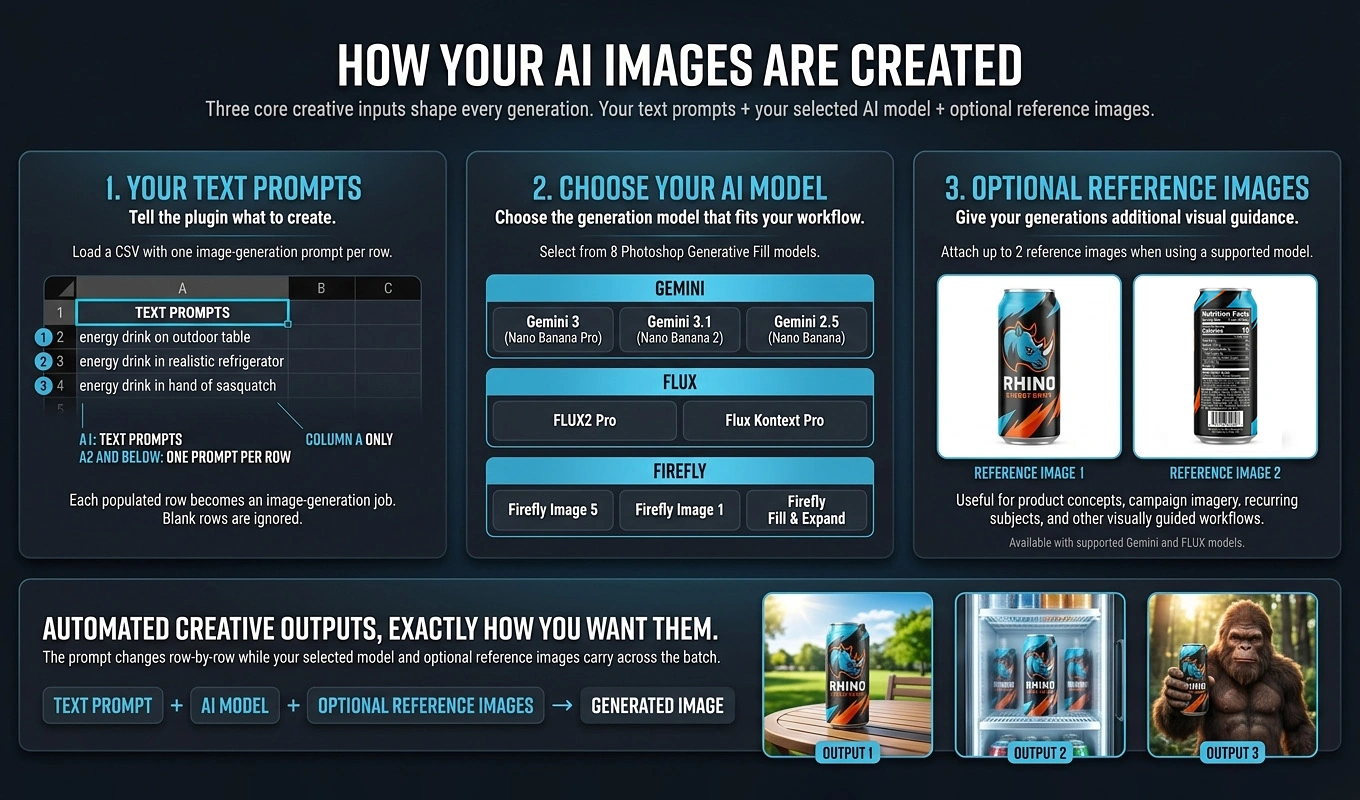
The benefit is not merely generating another picture. It is avoiding repeated prompt entry, reference attachment, variation selection, exporting, and naming when you need a coordinated set of campaign options.
The main disadvantage is reconstruction risk
A reference image is visual guidance, not a guarantee that every product detail will remain unchanged. A generated result can still alter a logo, subtly reshape a handle, simplify a texture, or introduce an accessory that the product does not include.
Other drawbacks are less dramatic but still affect production: repeated regeneration, inconsistent art direction across candidates, and time spent reviewing images that look attractive but cannot be approved.
The practical response is to make product identity a pass-or-fail requirement while allowing more flexibility in the environment. Reject a changed lid. Consider a different background arrangement if it still serves the brief.
Better models are changing the comparison
It is also too simplistic to judge present-day reference-guided generation solely by the weaknesses of early text-to-image tools. In its February 26, 2026 Nano Banana 2 announcement, Google describes improvements in subject consistency, instruction following, text rendering, and visual fidelity. Those are directly relevant capabilities for product imagery.
These are the developer’s claims, not a guarantee of accuracy for your SKU. They are nevertheless a good reason to periodically retest difficult products rather than assuming an old failure remains permanent. Bulk AI Image Creator includes Gemini 3.1 (Nano Banana 2) among its model choices, allowing that evaluation within the same Photoshop batch workflow.
4. Match the Production Method to the Use Case
Catalog images and product-detail galleries
Use real photography as the foundation when an image must establish exactly what is being sold. Prioritize the correct variant, clear overall views, distinguishing details, packaging, and any features shoppers need to examine.
Do not let campaign atmosphere displace useful information. A dramatically lit image may be excellent for an advertisement and poor for showing the actual finish of a product.
Scale deserves particular attention. Baymard Institute’s research on in-scale product images documents how shoppers use visual context to understand size and can draw incorrect conclusions without it. For a lamp, chair, or storage container, a beautiful generated room is not enough: the relationship between the item and its surroundings needs to be checked against real dimensions.
Seasonal campaigns, email creative, and social content
Reference-guided AI is a strong candidate when the required change is primarily contextual. Think holiday surfaces, summer environments, audience-specific settings, or alternative compositions for a campaign.
A candle brand does not necessarily need a new physical shoot for every autumn, winter, and spring setting. Once the jar, label, wax color, and proportions have been photographed well, those assets can support additional reference-guided creative development.
Keep the image’s claims realistic. A new environment should not imply an unsupported use, change what is included in the purchase, or depict a different version of the product.
Text-heavy packaging, intricate products, and exact branding
For products where tiny differences matter, a photographic foreground with an AI-generated environment can be the better compromise. Examples include cosmetics packaging, intricate jewelry, patterned textiles, and products with prominent labels.
A practical version is to generate an appropriate scene, then manually place the real product photograph above it in Photoshop. Match perspective, lighting, shadows, and any necessary reflections. Adobe’s layer-mask compositing tutorial explains the underlying technique for controlling which parts of a photograph remain visible.
This is a separate compositing task, not something Bulk AI Image Creator automatically performs. The plugin can generate scene candidates; retaining and integrating the original product photograph requires additional editing.
Concept development and one-off inventory
AI is useful for exploring a product concept before committing to sets, styling, or a campaign direction. Keep concept imagery clearly separated from final sales assets until the manufactured product can be verified against it.
At the other end of the spectrum, a single used item may be faster to photograph directly. If its scratches, wear, or unique grain are part of what the customer is buying, reconstructing it adds work without much creative benefit. The value of AI increases when there is meaningful variation to produce, not simply because generation is available.

5. Compare Cost per Approved Image, Not Cost per Generation
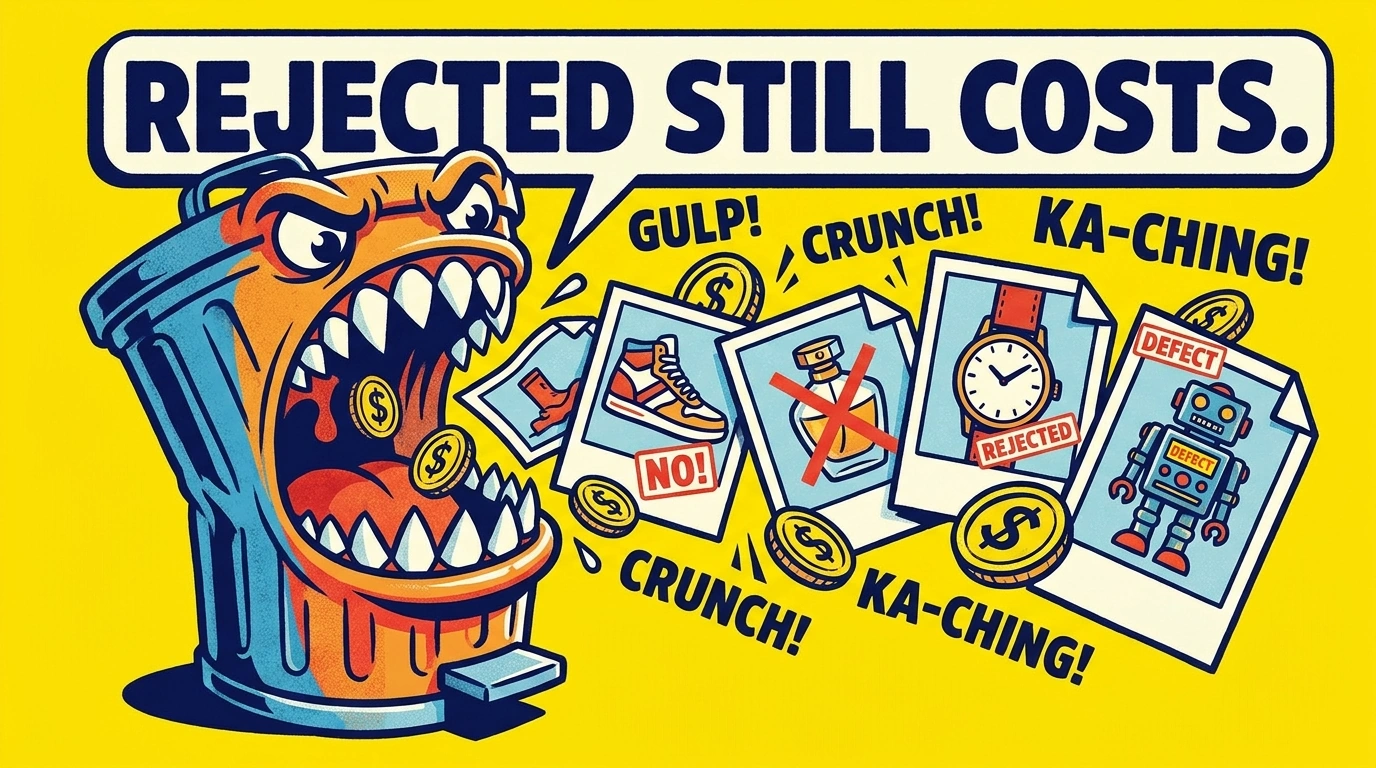
The cheapest generated image is not necessarily the cheapest usable image. An output that needs substantial correction—or cannot be published—still consumed production time.
For a fair comparison, count the work required to reach the same deliverable standard:
- Photography: preparation, capture, styling, retouching, coordination, and delivery.
- AI production: reference preparation, briefing, software and generation costs, review, correction, and delivery.
- Either method: approval time and the cost of rejected work.
Divide that total by the number of approved final images, not the number of shutter releases or generated candidates.
A simple hypothetical budget
Suppose an additional photographic campaign costs $1,200 and produces 12 approved images. Its cost is $100 per approved image.
Now suppose an AI-assisted campaign using existing product references costs $300 in preparation and briefing, $60 in allocated software and generation costs, and $240 in review and finishing. That is $600, or $50 per approved image if 12 images pass review.
If only six images pass, the cost becomes $100 per approved image. Additional correction work could increase it further.
These figures are illustrative budgeting inputs, not market rates, plugin pricing, or an expected savings claim. The point is that approval yield changes the result. If the initial product shoot is needed under both approaches, account for it consistently rather than charging it only to the AI workflow.
Automation changes labor costs, not the approval standard
Bulk AI Image Creator targets the repetitive production work between the brief and the review: submitting prompts, handling generated alternatives, exporting files, and moving to the next prompt. It processes prompts sequentially; it does not make Photoshop’s generation instantaneous or replace human approval.
It also uses Photoshop’s generative system rather than supplying an independent credit pool. Review Adobe’s guidance on Generative Credits for applicable usage rules. The plugin requires explicit acknowledgement before generation begins, but it does not predict an exact credit total for the batch.
A small pilot is therefore more informative than a blanket claim that AI is cheaper. Measure how much preparation, review, and correction your actual product requires, then expand the workflow that produces acceptable finals efficiently.
6. Shoot Once: Build References That Serve Both Workflows
A useful hybrid strategy begins with a deliberate product shoot, not an attempt to rescue unsuitable reference images later.
Capture a complete photographic set for customer-facing use. Then choose the one or two images that best explain the product to the generation model. Do not limit the entire shoot to two pictures simply because that is the plugin’s reference-image maximum.
Choose complementary views of the same variant
A front view can establish the label and overall silhouette. A three-quarter view can explain depth, the lid, and the handle. For another product, the second reference might need to show the back because a distinctive feature is otherwise hidden.
Use the same SKU and color variant in both references. Mixing an older package with a newer lid gives the model conflicting information rather than a better description of the item.
Favor sharp, unobstructed views with useful lighting. A dramatic campaign photograph may conceal the very edges and surface details the model needs. Adobe’s practical ecommerce photography setup guide covers a repeatable approach using a sweep, lighting, white balance, and a stabilized camera.
Make color and product identity reviewable
For color-sensitive products, include a color-reference capture in the photography session. Calibrite’s explanation of color targets and calibration describes how reference charts and neutral balance help establish a controlled color workflow.
Keep that calibration frame for preparation and review; the selected product references should clearly show the item. Also record a short identity checklist: body color, material, silhouette, logo position, closure, and any feature that must not change.
In Bulk AI Image Creator, the selected reference folder supplies the same reference set throughout the operation. For product campaigns, organize batches by product and variant so that every prompt receives the appropriate visual guidance. That is how an initial shoot becomes a reusable production asset rather than a folder of images used only once.
7. Turn a Campaign Brief into a Photoshop Batch
Once the references are ready, the next efficiency gain comes from structuring the creative brief. “Generate lots of product images” is not a useful production plan. A defined set of scenes, lighting treatments, and compositions is.
For example, a travel-mug campaign could explore three environments, two lighting treatments, and two compositions: 12 distinct prompt jobs. Each should answer a campaign question rather than merely produce another decorative background.
Write product identity once, then reuse it in each prompt
A complete prompt might read:
“Create a realistic campaign image of the travel mug shown in the attached reference images. Match its deep-green matte body, black lid, handle shape, logo position, and proportions. Place it on a light-oak home-office desk beside a closed notebook. Use soft side lighting. Position the mug toward the lower right, with uncluttered space in the upper left for a headline added later. Do not add text or additional mugs.”
For another row, keep the identity instructions and change the environment to a neutral breakfast table. For a winter campaign, change the surrounding materials and atmosphere while continuing to specify the same product.
Treat every CSV row as a complete instruction. Do not rely on one prompt establishing information that a later prompt will remember.
Configure the batch around one product and one delivery requirement
Bulk AI Image Creator provides a practical sequence:
- Prepare the prompt CSV. Put TEXT PROMPTS in cell A1, then place one complete prompt per row beneath it in Column A. Keep other columns empty. A spreadsheet’s CSV export can handle quotation marks around prompts containing commas.
- Choose a reference-compatible model. The plugin offers eight model choices overall. Its reference-image workflow supports Gemini 3 (Nano Banana Pro), Gemini 3.1 (Nano Banana 2), Gemini 2.5 (Nano Banana), FLUX2 Pro, and Flux Kontext Pro.
- Enable Attach Reference Images and select a folder containing one or two supported product images. The same references accompany every prompt in that operation.
- Set the target image dimensions and DPI. For example, a proposed 4:5 campaign batch could use 2000 × 2500 pixels. Test the intended dimensions with the selected model before committing to a large run.
- Choose how to export variations. Export All Generated Image Variations saves every variation Photoshop actually returns, giving you alternatives to review. Disabling it exports only the first variation—not an automatically selected “best” result.
- Select the output folder, format, quality, and filename components. Prompt and model information in filenames helps connect exported candidates to their generation instructions. Duplicate-safe numbering keeps variations from overwriting one another.
- Run the operation after acknowledging Generative Credits usage. The plugin generates and exports each prompt’s results, clears the completed variations, and advances to the next prompt.
One model, reference set, image size, and export configuration apply across the batch. If you need another product, another reference set, or a different output size, configure a separate operation rather than trying to control those settings through extra CSV columns.
For recurring work, save the operation so you can restore its configuration instead of rebuilding it. A brand can maintain repeatable setups for a particular product campaign, while updating the prompt CSV as new creative requirements arise.
This is where the time-saving argument becomes concrete. The designer concentrates on references, briefs, and final selection instead of spending the working session repeatedly attaching the same images, submitting prompts, clicking through alternatives, and saving files.
8. Approve the Product First, Then Publish and Test the Creative
Use two separate review passes
First, inspect product fidelity. Compare the candidate against the physical item or approved reference photographs before deciding whether the image is attractive.
- Is it the correct SKU, color, finish, and packaging version?
- Are the silhouette, proportions, closures, handles, and other distinguishing features correct?
- Are visible logos and label text accurate?
- Has the image added accessories, features, or quantities that are not included?
- Does the depicted use make sense for the actual product?
Then review the scene: contact shadows, reflections, perspective, scale, composition, and space for campaign copy. Inspect both at normal viewing size and close enough to catch errors that customers could notice when enlarging the image.
Separate those decisions. A pleasant background cannot compensate for an incorrect product, while a correct product does not automatically make the image good campaign creative.
Check the destination’s rules
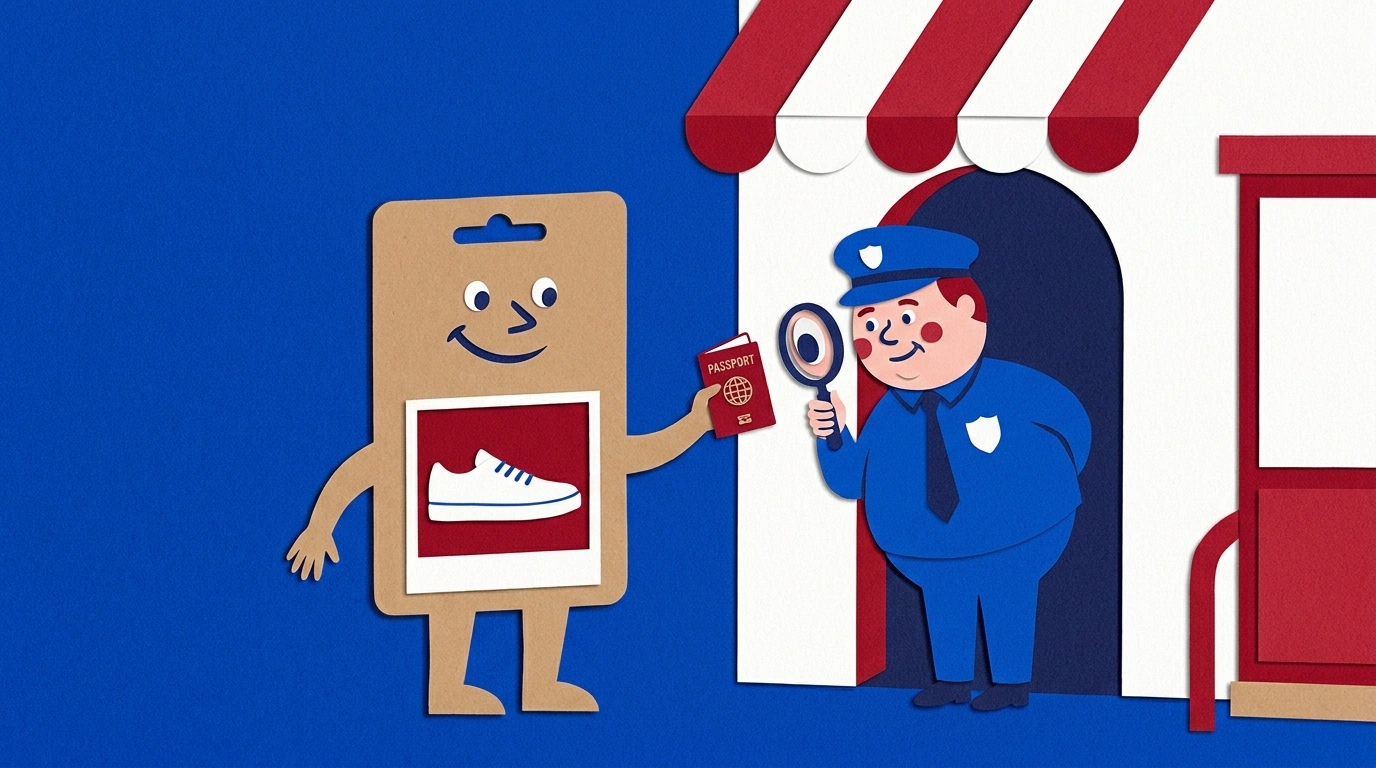
AI-generated imagery is not automatically excluded from commerce channels. Google Merchant Center’s AI-generated content policy permits AI-generated images in primary and additional image attributes, while requiring metadata identifying AI generation, including the relevant IPTC DigitalSourceType information. Make metadata verification part of the final export and delivery check.
Content requirements still apply. Google’s product image requirements call for the correct product representation and prohibit various promotional overlays. A finished social advertisement with a headline is therefore a different asset from a clean product-feed image.
Likewise, consult Amazon’s product image requirements before assigning an asset to a listing position. Its main-image requirements include a pure-white background; do not assume a lifestyle campaign composition belongs in that slot.
The broader standard applies to photographed and generated advertising alike. The FTC’s advertising guidance for small businesses explains that advertising must be truthful and that claims may be implied by images as well as words. An atmospheric scene is one thing; a visual suggesting unsupported performance is another.
Test the creative, not your preference for the production method
Once both versions meet the same accuracy and quality standard, compare them in the intended placement. Keep the offer, copy, audience, and landing page consistent where possible. Track the result that matters to the campaign—such as purchases or acquisition cost—not just which image receives more compliments.
A polished AI scene versus a poorly lit phone snapshot does not isolate the value of AI. Nor does an expensive photographic campaign versus an unreviewed generation establish that photography is inherently better. Compare credible, finished alternatives.
The strongest operating model is often straightforward: build an accurate photographic foundation, use reference-guided AI to extend its creative usefulness, and automate repetitive generation and export with Bulk AI Image Creator. Keep product approval deliberate. That combination lets real photography establish what the product is while AI helps explore how many useful ways you can present it.